AI-Powered Charting Made Effortless. Anytime, Anywhere, Every Day.
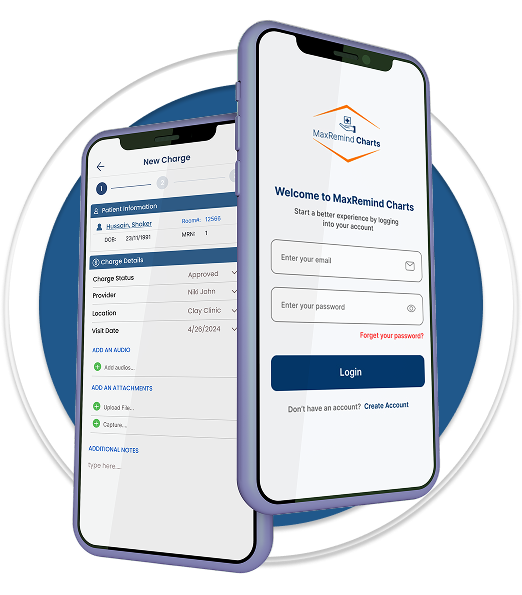
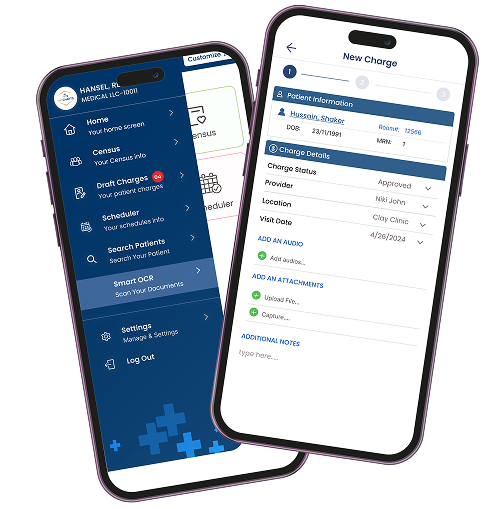
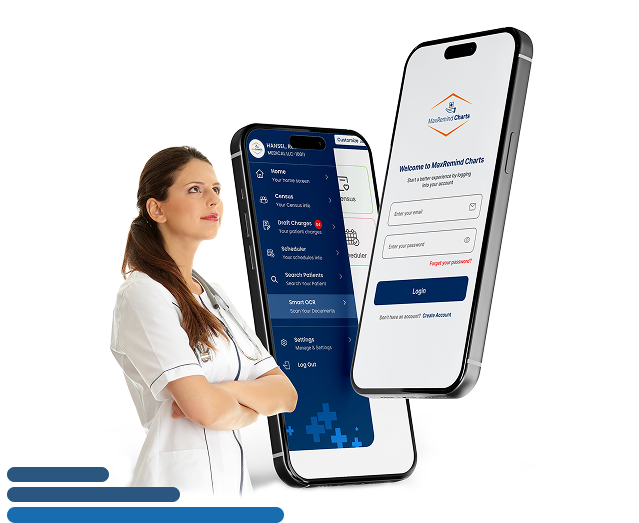
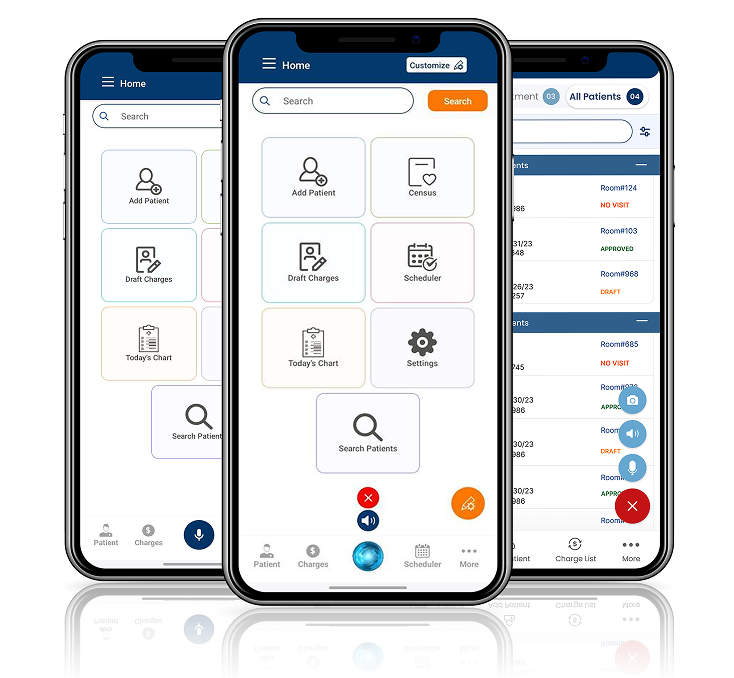
MaxRemind Charts is our AI-powered mobile charting app built specifically for in-patient care providers. It enables physicians to document, code, and submit patient encounters using voice commands, image-to-text conversion (OCR), and real-time EHR synchronization – all from your smartphone or tablet.
From Paper to AI-Powered Charting. Wherever You Are.
MaxRemind Charts brings your in-patient documentation into the digital age. No more digging through handwritten notes or being tied to your workstation.
With our smart mobile charting app, providers can access, update, and submit patient information anytime, anywhere, right from their smartphone or tablet.
MaxRemind Charting App for
Providers
Schedule Appointments in Seconds
Skip the paperwork and phone tag. With MaxRemind Charts, appointments can be scheduled directly from the app in just a few taps. No need for your patients to visit the clinic just to book a slot. It’s fast, efficient, and fully integrated with your practice flow.
Efficient Billing in Real-Time
Track diagnoses, treatments, and encounters as they happen. it syncs your patient’s progress and clinical details in real-time. It simplifies your billing workflow and enables faster claim submission and reimbursement.
Transforming Your Practice
It All Goes Hand-in-Hand
Our charting App is fully is more than a charting tool. It’s part of a complete practice improvement solution. From documentation to billing, we align every part of your workflow with intelligent automation and smart suggestions. It boosts both efficiency and accuracy.
Constant Updates for Better Monitoring
Real-time access means real-time action. Monitor patient vitals, notes, and anomalies instantly. If a red flag appears, you can act fast and recommend care without delay. No more waiting to update paper files.
Safety & Security with HIPAA Compliance
Our charting App is fully HIPAA-compliant and built for secure mobile use. Whether you're in the hospital or on the go, your patient data is encrypted and protected. It eliminates the risks associated with manual data handling.
Smart, Stress-Free User Experience
We’ve designed this app with busy providers in mind. The interface is clean, intuitive, and fast. It ensures that even the least tech-savvy clinician can navigate the app without stress. You focus on care. We’ll handle the clicks.
EHR-Friendly Integration
The App integrates smoothly with your existing EHR and performs best when paired with our Maximus EHR platform. Importing patient records is seamless, so there’s zero disruption to your existing systems.
Frictionless Communication with Patients
When data is updated in real-time, conversations become proactive. You’ll be able to quickly notify patients of urgent conditions, send follow-ups, or recommend immediate care.
How It Works?
Discover the simple, AI-powered workflow of MaxCharts, designed to make patient charting faster, smarter, and more accurate, all in just a few steps.
Download the App
Get MaxRemind Charting App from your preferred app store and unlock instant access to powerful AI-assisted charting features.
Setup Your Profile
Personalize your account with practice details, preferences, and security settings to ensure HIPAA-compliant and seamless usage.
Enjoy the Charting Features
From AI-assisted voice commands to OCR image-to-text conversion, explore all the tools you need to chart, organize, and manage patient records with ease.
MaxRemind Charts App Features
Our Exclusive App Comes with Most Advance Features
Image to Text (OCR)
Text-to-Speech
Voice Command Prompts
OCR (Image to Text Conversion)
Turn bedside notes into structured patient data – instantly.
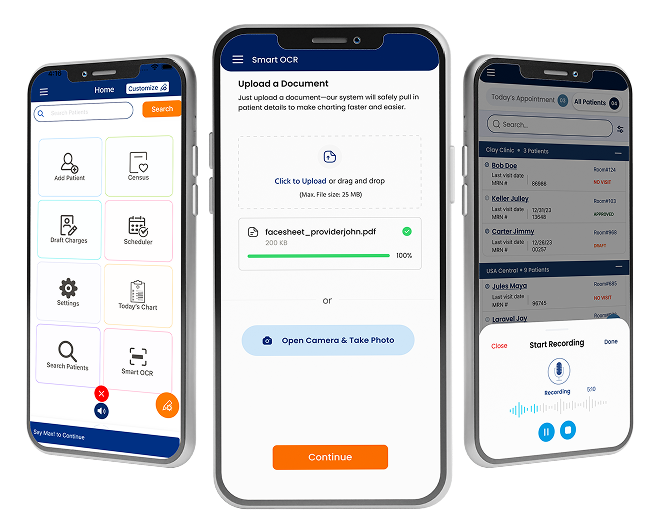
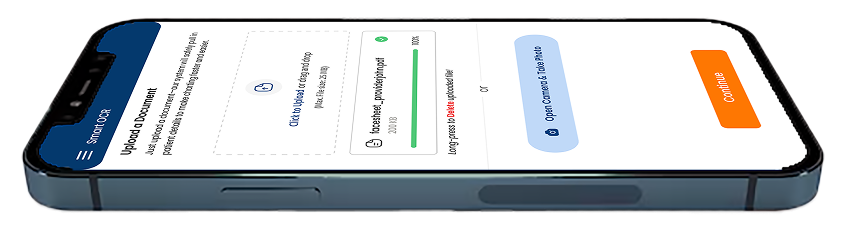
With advanced OCR (Optical Character Recognition), MaxRemind Charts allows in-patient care providers to convert images into editable, actionable medical data. Simply snap a photo of handwritten progress notes, encounter forms, or superbills, and it will automatically extract
CPT/ICD codes
Patient Demographics
Visit Notes
No manual entry required. The AI handles the extraction, so providers can skip typing and go straight to reviewing and submitting.
Text-to-Speech (ADA Compliance Support)
Accessibility built for every provider
MaxRemind Charts includes a Text-to-Speech engine that reads screen content out loud. It is perfect for visually impaired users or on-the-go providers who need audio prompts instead of screen navigation.
This feature supports ADA (Americans with Disabilities Act) compliance and enhances usability in busy clinical settings.
Voice Command Prompts
Hands-free charting with natural voice commands.
MaxRemind Charts understands real-time voice instructions so providers can perform actions without touching the screen.
Submit today’s in-patient charges
Add modifier 25 to this admission
Show me yesterday’s visits
MaxRemind Charting App for
Providers
Schedule Appointments in Seconds
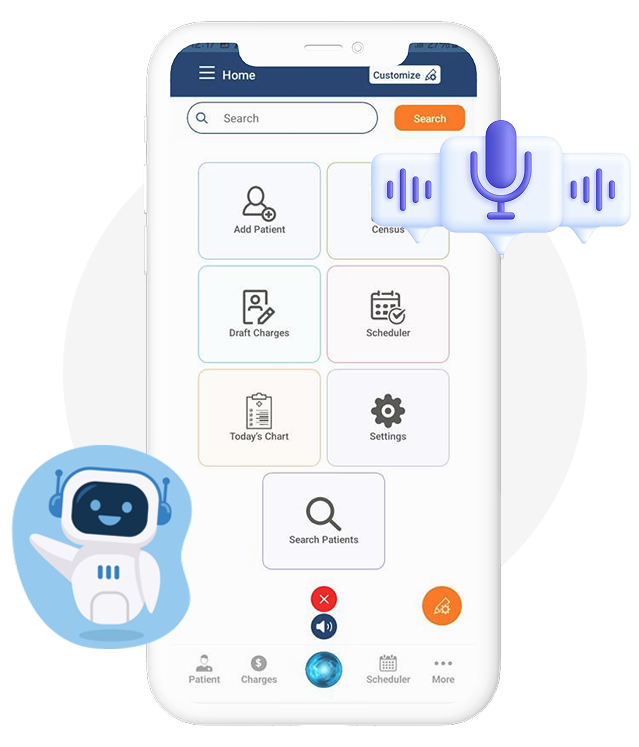
The Max AI Assistant helps in-patient care providers streamline daily workflows with intelligent, voice-activated features. It can:
Fetch pending in-patient claims
Submit multiple charges in one go
Auto-fill CPT/ICD codes with AI search
Clone previous charges for repeat visits
Remind a provider about incomplete charts
Add new patients via voice command
Whether you’re documenting on the floor or managing multiple encounters, Max AI helps you move faster and more efficiently.
To activate the AI-assistant, just say MAX and then Say: “Add a new patient named John Smith, admitted for chest pain.” Max AI creates the patient profile and starts the chart for you.
FAQs
Is the MaxRemind Charts App HIPAA-compliant and secure for mobile use?
Yes, MaxRemind Charts is fully HIPAA compliant and designed with end-to-end encryption to protect sensitive patient information. Whether you’re accessing data on a tablet during rounds or reviewing charts on your phone, all records are stored and transmitted securely.
Can I use the MaxRemind Charts App with my existing EHR system?
Absolutely. MaxCharting integrates smoothly with most major EHR systems. For best performance and seamless compatibility, we recommend using it alongside Maximus EHR, our full-featured, AI-powered electronic health record platform.
How does the OCR feature work, and do I still need to enter data manually?
The OCR (Image to Text) feature eliminates manual data entry. Just snap a photo of a handwritten note or rounding sheet. MaxCharting automatically extracts CPT/ICD codes, patient details, and chart notes. It’s fast, accurate, and designed for real-time charting on the go.
Can I submit charges and complete documentation using voice commands?
Yes! MaxCharting supports voice command prompts and is powered by the Max AI Assistant. You can speak naturally to submit charges, add modifiers, fetch claims, and even add new patients. It’s designed to reduce clicks and save time during busy hospital rounds.
What devices support the MaxRemind Charts App?
MaxCharting is available for both iOS and Android devices. Whether you use a smartphone or tablet, the app is optimized for smooth performance, intuitive navigation, and full mobile access, wherever your shift takes you.
Hi, How can I help you?Your MaxRemind AI assistant for billing, RCM, credentialing, and Maximus EHR.Online
Ask MaxRemindAI SDR Agent
Joining audio
Listening...
Thinking...
🍪
We use cookies
We use cookies to improve your browsing experience, analyze website traffic,
and support marketing. You can accept all cookies, reject non-essential cookies,
or manage your preferences.
Cookie Settings
Choose which cookies you want to allow. Necessary cookies are always enabled
because they are required for the website to work properly.
Please select Analytics or Marketing cookies, or click Reject All.