
Leveraging Practice Management Software to Streamline Your Front and Back Office
Introduction
Understanding Front Office vs. Back Office Operations in Healthcare
| Front Office Operations | Back Office Operations |
|---|---|
|
Appointment scheduling |
Medical billing & coding |
|
Patient check-in & intake |
Claims submission & follow-ups |
|
Insurance verification |
Payment posting |
|
Patient communication |
Financial reporting |
|
Front desk coordination |
Compliance & documentation |
What Is Practice Management Software (PMS)?
Core features typically include:
- Appointment scheduling
- Patient registration and intake
- Insurance verification
- Medical billing integration
- Reporting and analytics
- Workflow automation
Common Operational Challenges Without an Integrated PMS
- Double data entry between scheduling and billing systems
- Appointment errors that lead to missed charges
- Delayed claims due to incomplete or inaccurate patient information
- Limited visibility into practice performance
- Staff burnout caused by repetitive administrative tasks

How Practice Management Software Streamlines Front Office Operations
Front office teams are the first point of contact for patients, and their efficiency sets the tone for the entire visit. Practice management software significantly reduces friction in these workflows.
Smarter Appointment Scheduling
Staff can easily manage provider availability, appointment types, and time slots with automated scheduling tools. PMS platforms reduce overbooking, minimize no-shows through automated reminders, and ensure schedules remain optimized.
Faster Patient Check-In and Intake
Digital patient intake forms allow patients to submit information before arriving, reducing wait times and eliminating paperwork. This ensures accurate data collection and faster patient flow.
Real-Time Insurance Verification
Integrated insurance verification tools help front desk staff confirm coverage eligibility upfront. This reduces surprises for patients and prevents downstream billing issues.
How PMS Optimizes Back Office Functions
While the front office focuses on patient-facing tasks, the back office ensures financial and operational stability. Practice management software plays a critical role here.
Seamless Billing Integration
Faster Claims Processing
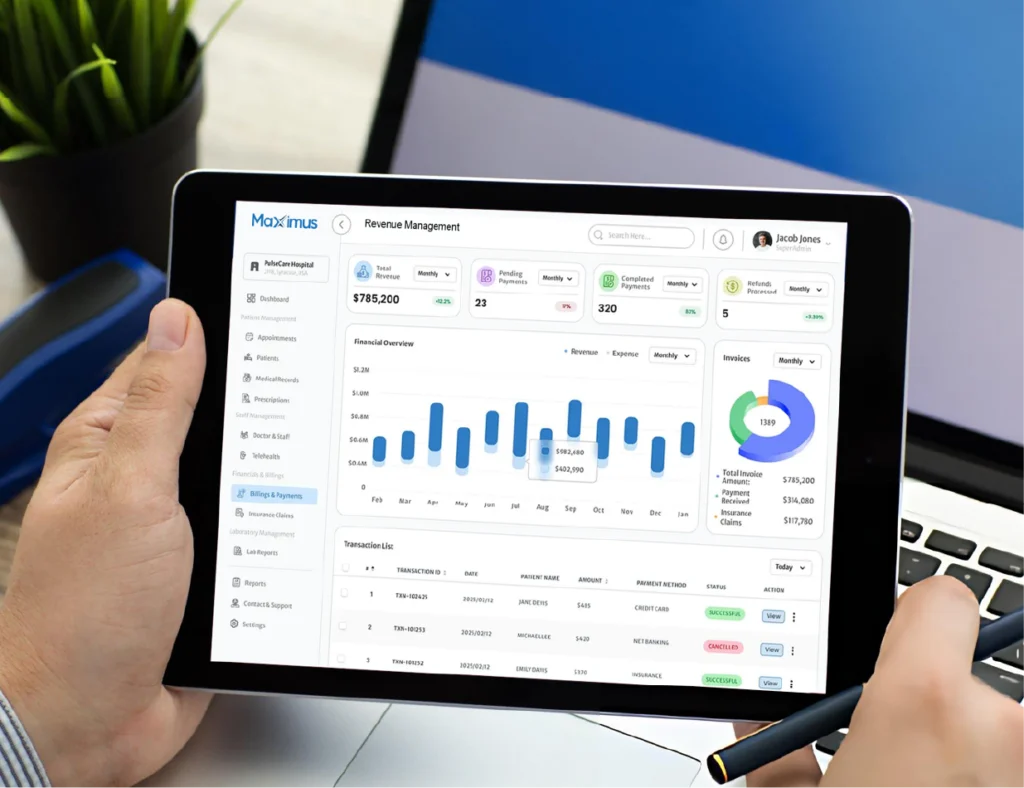
Advanced Reporting and Analytics
- Revenue trends
- Provider productivity
- Appointment utilization
- Outstanding balances
Integrating Scheduling, Billing, and Reporting: Why It Matters
| Integrated Function | Operational Impact |
|---|---|
|
Scheduling + Billing |
Reduces missed charges |
|
Intake + Coding |
Improves claim accuracy |
|
Billing + Reporting |
Enhances financial visibility |
|
Front + Back Office |
Eliminates workflow silos |
Key Benefits of Using a Unified Practice Management System
- Improved operational efficiency
- Reduced administrative burden
- Better patient experience
- Faster revenue cycles
- Increased staff productivity
- Clear visibility into practice performance

Choosing the Right Practice Management Software for Your Practice
- Ease of use for front and back office staff
- Integration with billing and EHR systems
- Customizable reporting features
- Scalability for future growth
- Support and implementation guidance
How MaxRemind Helps Practices Maximize PMS Efficiency
Even the best practice management software requires the right expertise to deliver optimal results. This is where MaxRemind comes in.
Whether it’s improving front desk efficiency, reducing billing delays, or gaining clearer financial insights, MaxRemind acts as a strategic partner – not just a service provider.

Conclusion
Unify Your Front and Back Office With One Smart System
- What is practice management software in healthcare?
-
Practice management software is a digital solution designed to manage the administrative and operational tasks of a medical practice. It helps streamline front and back office functions such as appointment scheduling, patient intake, insurance verification, billing, reporting, and workflow automation within a single, integrated system.
- How does practice management software improve front office efficiency?
-
Practice management software improves front office efficiency by automating appointment scheduling, enabling digital patient intake, and providing real-time insurance verification. These features reduce manual work, minimize errors, shorten wait times, and create a smoother check-in experience for patients.
- How does PMS support back office operations and billing?
-
A practice management system supports back office operations by integrating scheduling, documentation, and billing workflows. This ensures accurate charge capture, faster claims submission, reduced denials, and improved revenue cycle performance. Advanced reporting tools also give practices better visibility into financial and operational metrics.
- Why is integrating scheduling, billing, and reporting important?
-
Integration eliminates workflow silos between front and back office teams. When scheduling, billing, and reporting are connected, practices experience fewer errors, reduced missed charges, faster reimbursements, and improved decision-making through real-time performance insights.
- How can MaxRemind help practices get more value from their PMS?
-
MaxRemind helps practices optimize their practice management systems by aligning workflows with revenue cycle best practices. Through expert support in billing, reporting, and operational optimization, MaxRemind ensures practices fully leverage their PMS to improve efficiency, accuracy, and financial performance.